Income Tax on MEPCO Bill: Filer vs Non-Filer Rates (2026)
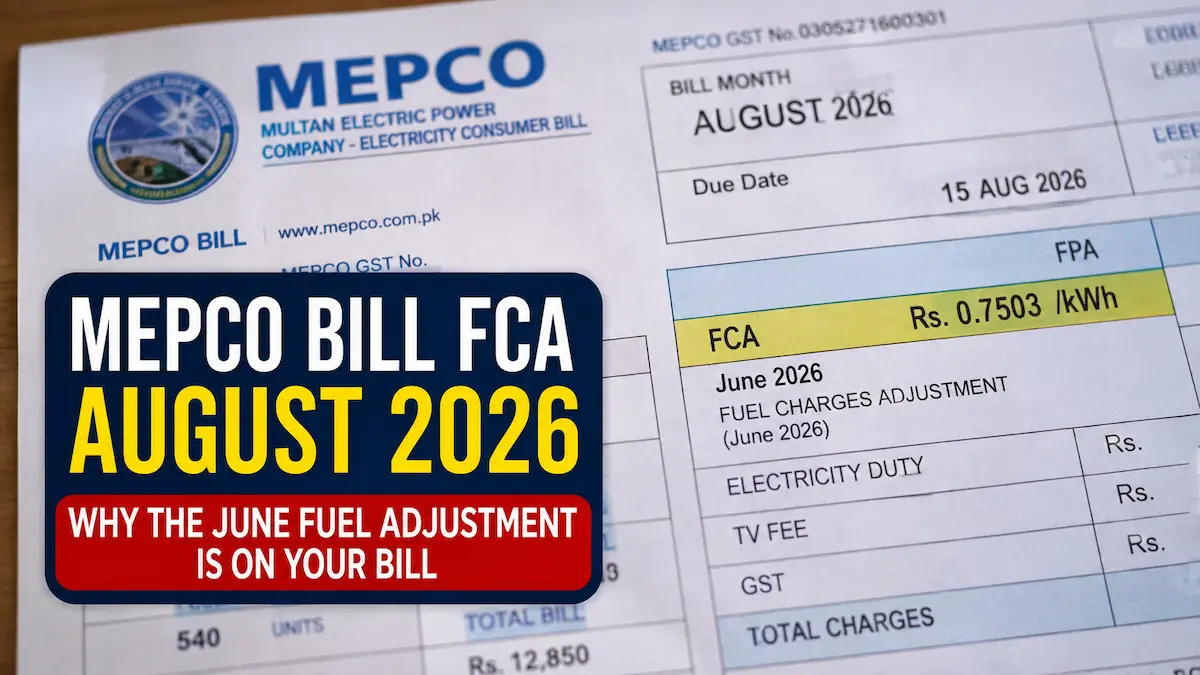
If your domestic MEPCO bill suddenly spiked with a 7.5% Advance Income Tax charge, you have been hit by Section 235 of the Income Tax Ordinance, 2001. The Federal Board of Revenue (FBR) uses utility bills to penalize non-filers and collect advance tax.
Because the billing process is completely automated by the Power Information Technology Company (PITC), the system does not care if you file your taxes. It only checks if the specific CNIC registered to your 14-digit Reference Number is currently on the FBR Active Taxpayer List (ATL).
Here is exactly how the Section 235 tax is calculated for the tax year 2027 (1 July 2026–30 June 2027), how to stop the deductions by updating your billing CNIC, and how to claim the money back if you have already paid it.
The Section 235 Breakdown: How FBR Taxes Electricity
Under Section 235, the withholding tax (WHT) applied to your MEPCO bill depends on three factors: your consumer type (domestic, commercial, or industrial), your gross bill amount, and your ATL status.
The Rs. 25,000 Domestic Threshold
For residential households, the tax acts as a direct penalty for failing to file annual tax returns. A domestic connection registered under an active filer is completely exempt from Section 235 tax, even if the monthly bill exceeds one million rupees.
For non-filers, the FBR allows a buffer zone. A non-filer’s domestic electricity bill up to Rs. 24,999 remains exempt. But the moment the gross monthly bill reaches or exceeds Rs. 25,000, MEPCO automatically adds a 7.5% withholding tax.
This 7.5% is applied to the entire bill, not just the amount above the threshold. A Rs. 25,000 bill instantly triggers a Rs. 1,875 tax penalty.
Commercial and Industrial Slabs
Unlike domestic connections, commercial (shops, offices) and industrial (factories) connections face Section 235 deductions regardless of their filer status. The tax applied here is an advance tax whose adjustability depends on Section 235(4), including whether the taxpayer is a company.
| Gross Monthly Bill | Commercial Tax Rate | Industrial Tax Rate |
| Up to Rs. 500 | 0% (Exempt) | 0% (Exempt) |
| Rs. 501 to Rs. 20,000 | 10% of total bill | 10% of total bill |
| Above Rs. 20,000 | Rs. 1,950 + 12% of the excess | Rs. 1,950 + 5% of the excess |
The Landlord-Tenant Trap
Many active taxpayers are confused when a 7.5% charge appears on their domestic MEPCO bill. This happens because the physical electric meter is still registered in the name of a landlord, a previous property owner, or a deceased family member who is not active on the ATL.
The PITC database does not track who actually pays the bill; it strictly reads the CNIC attached to the account at the time of installation. To stop the 7.5% deduction, an active filer must legally link their CNIC to the reference number.
How to Link an Active CNIC to MEPCO (Drop the Tax)
If you are a filer but your bill carries the non-filer tax, you must submit a name or CNIC change application. Once the PITC database updates, the 7.5% tax drops automatically in the next billing cycle.
- 1.Verify your ATL status: FBR updates this database daily.
- Before applying, text ATL followed by a space and your 13-digit CNIC (without dashes) to 9966 to confirm you are actively listed on the FBR Active Taxpayer List.
- 2.Gather ownership or tenancy proofs: Required for verification at the sub-division.
- Collect a copy of the latest paid MEPCO bill, your active CNIC, and proof of property connection. Tenants must provide a valid rent agreement; owners need the property registry or allotment letter.
- 3.Submit a Name Change Application via CCMS: Processes directly through the Customer Complaint Management System.
- Apply online through the ENC (Electricity New Connection) portal under the “Change of Name/Tariff/Load” tab, or visit your local MEPCO sub-divisional office in person to submit a physical file.
How to Claim Deducted MEPCO Tax in FBR Iris
The Section 235 tax deducted from your electricity bills is not lost money. Under the Income Tax Ordinance, 2001, this is treated as an advance tax subject to the adjustment and minimum-tax rules in Section 235(4).
If the MEPCO connection is in your name, you can subtract the exact amount of electricity tax you paid throughout the year from your final annual income tax liability.
- 1.Download the Advance Tax Certificate: Available directly from the PITC portal.
- Retrieve your annual electricity tax deduction certificate by entering your 14-digit reference number on the official PITC website, or manually calculate the total income tax paid using your 12 monthly paper bills.
- 2.Open the Adjustable Tax tab in FBR Iris:
- Log into your Iris account. Inside your active Wealth Statement or Income Tax Return form, navigate to the “Tax Chargeable / Payments” section and click on the “Adjustable Tax” tab.
- 3.Enter deductions under Section 235: Select the applicable Section 235 electricity entry in the Iris system.
- Locate the field labeled “Electricity under section 235”. Enter your total annual electricity bill amount in the first column (Receipts/Value), and input the exact total of the tax deducted in the second column (Tax Collected/Deducted).
Once saved, the Iris system automatically reduces your final tax payable by the exact amount MEPCO deducted throughout the year.